Sonant is now an Applied Epic Certified Vendor Integration
Sonant is now an Applied Epic Certified Integration Partner. Learn more ->
Grow your book without adding headcount - surface missed cross-sells on every call, automate post-call admin, and coach your entire team from a single daily digest.
Book a Demo ->


Trusted by Industry Leaders & Partners
































Every one of these is revenue, protection, or capacity walking out the door.






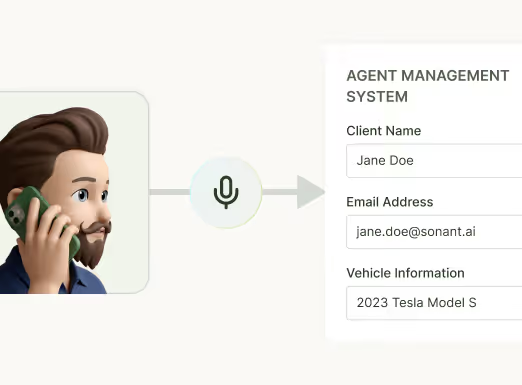
Call Companion turns every conversation your team has into structured data, automated documentation, and actionable intelligence - across your entire agency, every day.
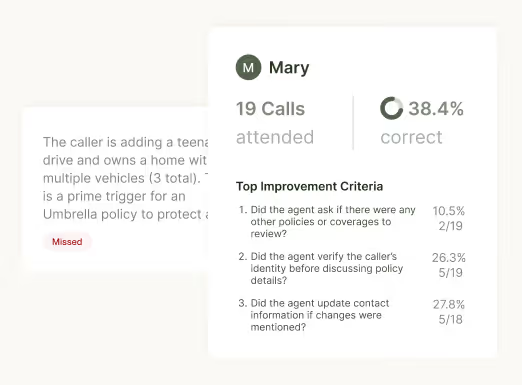
Query by agent, date, client, or coverage type and get answers grounded in what was actually said.
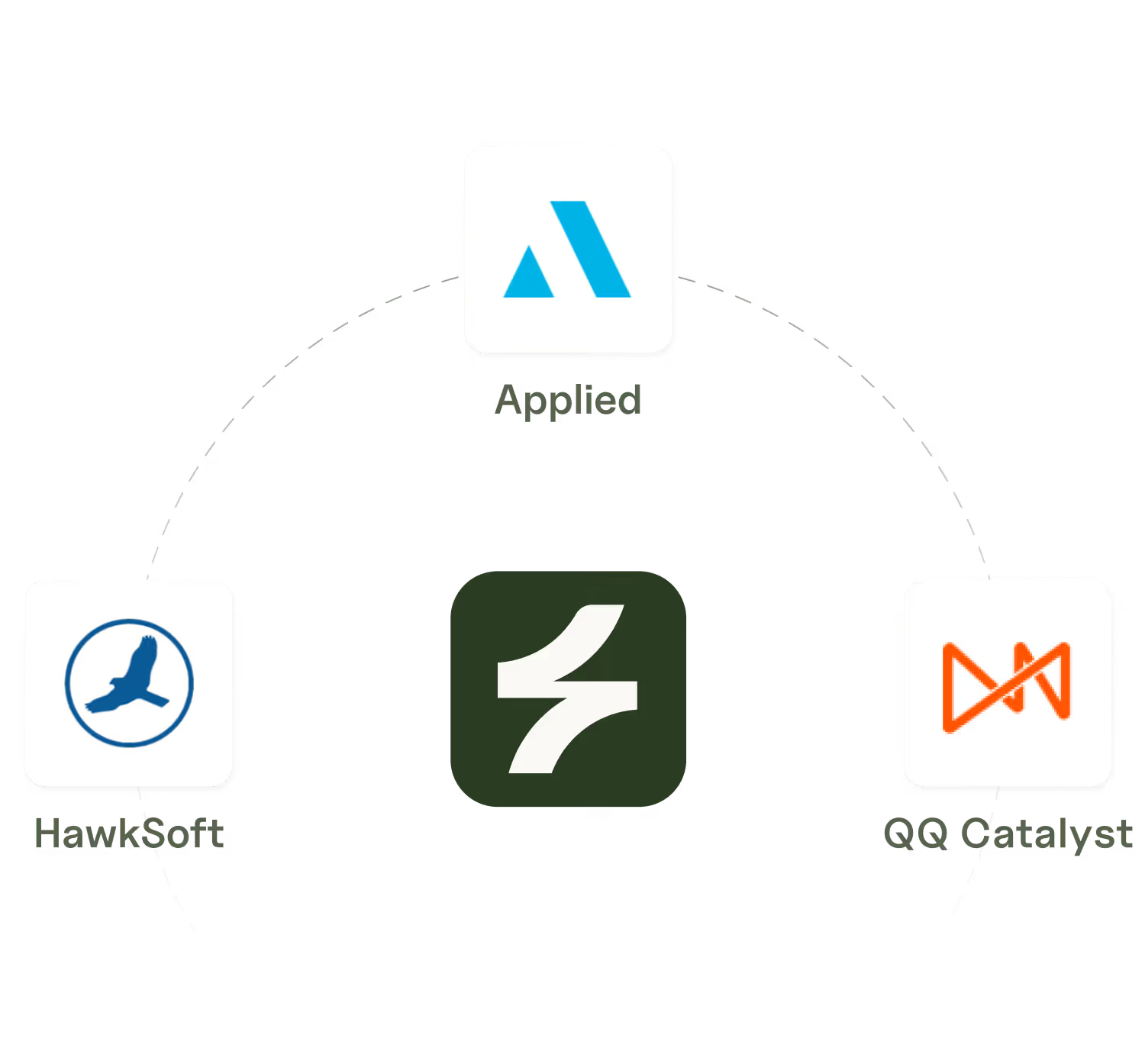
HawkSoft, Applied Epic, QQ Catalyst, EZLynx, AgencyZoom and more - without replacing your existing phone system.
" I have no way to know what's actually happening on our calls without listening to all of them."
" I'm sure we're leaving money on the table with cross-sells and coverage gaps - I just can't see it."
" If we cut the time spent on post-call admin, we'd increase capacity by 30–40% without hiring anyone"
" I'd happily pay my team bonuses for cross-sell handoffs - but I have no clean way to track when they actually created those opportunities."
These aren't edge cases. This is what running an agency on a phone system that doesn't talk back looks like. Call Companion is what changes it.

"I knew it was bad. I didn't think it was that bad.
This pays for itself just from the few cross-sells it identifies."
Jared Bellmund
Dir at ALLCHOICE Insurance

In the first two days after going live, Call Companion ran across 50 calls at ALLCHOICE and surfaced 20 cross-sell opportunities their team had walked past entirely - opportunities that had been there every single day, invisible.
Call Companion was built specifically for insurance agencies. It understands your work, integrates with your systems, and delivers outputs your team can actually use - without adding a single step to their day.



With certifications in GDPR, AICPA SOC 2, and Applied Vendor Integration, Sonant delivers secure, compliant, and vetted service for your agency.
Based on questions that came up repeatedly

Yes. Call Companion integrates with existing phone systems including VoIP platforms like RingCentral, Lightspeed Voice, and others. It doesn't replace your phone system - it works as an overlay that listens to and analyzes calls.
Yes, absolutely. The AI receptionist handles incoming calls, while Call Companion analyzes and documents all calls - both the AI portion and the human-to-human conversations between your staff and customers.
Yes. Call Companion integrates with major AMS systems including:
HawkSoft, Epic, Momentum, AgencyZoom, EZLynxks, etc..
After each call, it automatically creates E&O-compliant notes and tasks in your AMS with structured information (discussion, decision, recommendation, follow-up).
The system provides E&O-compliant documentation with structured notes that capture key details reliably. The transcription is good enough to identify cross-selling opportunities, compliance issues, and generate actionable follow-ups.
This is configurable. You can set up rules for automatic task creation (e.g., "if it's a COI request, create this type of task"), or you can review before syncing. Some agencies use the copy-paste workflow if they don't have API access, which gives them a review step.
Call Companion goes far beyond basic recording.
Generic Call Recording: Just stores audio files you have to manually review
Call Companion provides:
- Automated note-taking - Structured, E&O-compliant notes pushed to your AMS
- Cross-selling identification - Flags opportunities (e.g., "customer has auto but no umbrella")
- Coaching & compliance - Analyzes if staff followed your process, provides feedback
- Follow-up email drafts - Auto-generates customer emails based on call content
- Task automation - Creates tasks in your AMS based on call outcomes
- Analytics dashboard - See team performance, compliance rates, opportunities missed
- Structured data extraction - Turns call content into form-fillable data
RingCentral records calls. Call Companion eliminates 20-30 minutes of post-call busywork, ensures compliance, and helps your team move from order-takers to advisors.
.svg)
.svg)

.svg)