.svg)

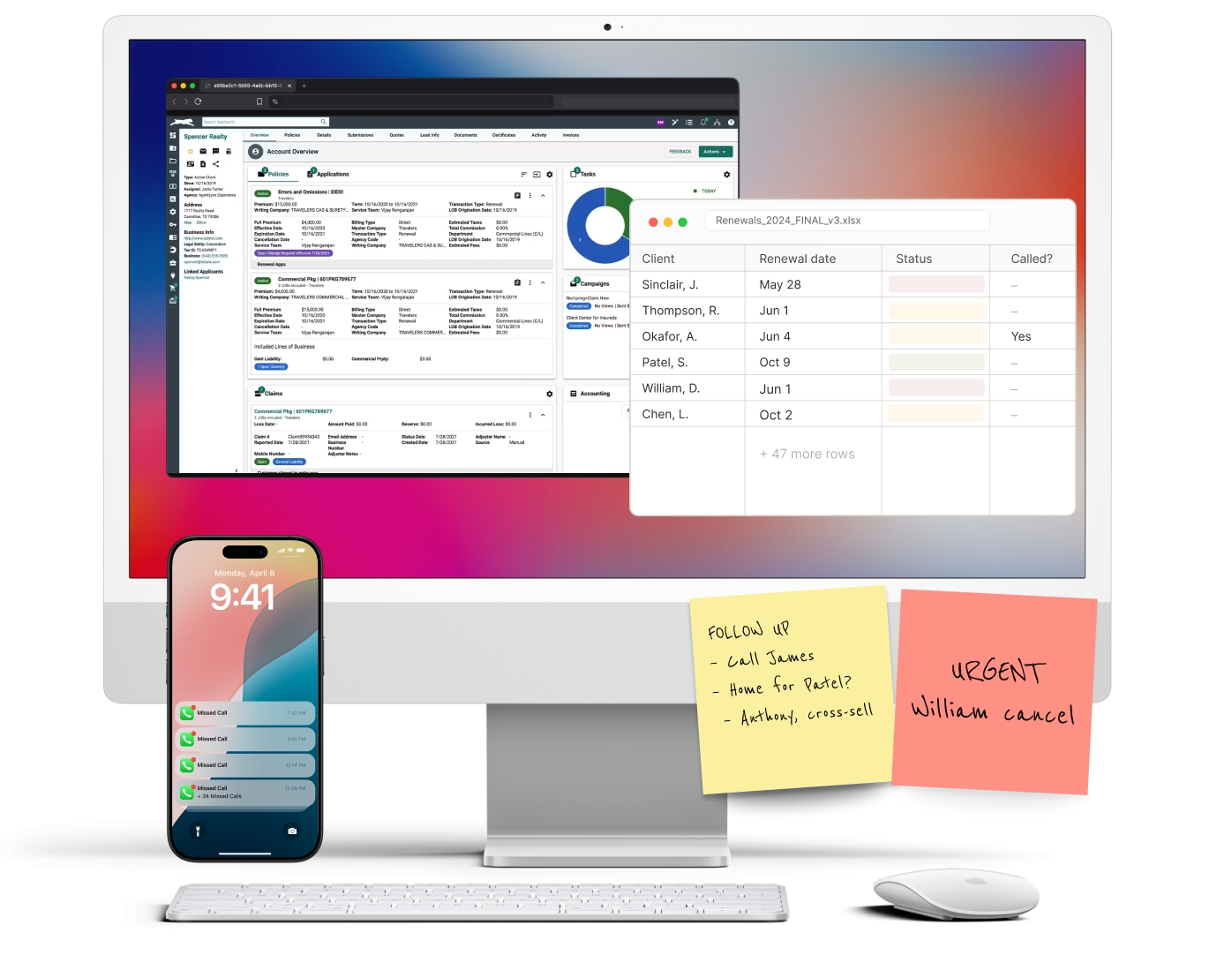
Choosing customer service software for small business insurance work is less about buying one product and more about connecting a few layers that already run your agency: the phone line, the agency management system, and the way service requests get tracked and answered. A small property and casualty (P&C - property and casualty) agency serves clients who call about a claim, a certificate, or a renewal, and most of that traffic still arrives by phone. Good software captures that contact, routes it to the right person, records it against the policy, and follows up when nobody could pick up. This guide explains what to look for, the categories of tools, and how to choose.
Key Takeaways
- For a small agency, "customer service software" is really a stack: phone/answering, AMS integration, ticketing, and after-hours coverage.
- The phone layer matters most in insurance because service and first notice of loss still arrive by call, not chat.
- AMS (agency management system) integration decides whether a tool saves time or just adds a second place to type notes.
- Ticketing keeps certificate, endorsement, and billing requests from getting lost across email and voicemail.
- Sonant is the phone and answering layer: it answers, captures the reason for the call, writes to your AMS, and escalates licensed questions to staff.
What does customer service software mean for a small insurance agency?
For a small insurance agency, customer service software is the set of tools that answer client contacts, track requests to resolution, and record everything against the right policy. It is rarely a single app. Most agencies combine a phone system, an agency management system, a ticketing or shared-inbox tool, and some way to cover calls after hours. The goal is one service history per client, no matter how they reached you.
That framing matters because generic small-business help desk software assumes chat and email are the primary channels. In P&C insurance, the phone still carries claims, billing questions, and first notice of loss. So the practical question is not "which help desk" but "how do these layers connect around the call." For background on the systems that hold your book, see this overview of the role an agency management system plays in daily service.
See how call capture writes back to your AMS → Talk to Sonant
What should a small agency look for in customer service tools?
A small agency should prioritize four capabilities: reliable phone answering, AMS integration, request tracking, and after-hours coverage. Those four decide whether software reduces workload or just relocates it. Feature checklists matter less than how cleanly a tool fits the calls-to-notes-to-policy path your CSRs (customer service representatives) already walk every day.
Use these criteria when comparing options:
- Phone answering and routing. Can it answer, identify the reason for the call, and route to the right producer or CSR? Missed calls are lost service and lost revenue, which is why reducing missed calls is usually the first fix.
- AMS integration. Does it write notes, tasks, or activities back to your management system automatically? Manual re-keying is where small teams lose hours.
- Ticketing and tracking. Are certificate, endorsement, and billing requests tracked to resolution instead of living in voicemail and email?
- After-hours coverage. What happens to a claim call at 9 p.m.? Handling calls that arrive outside business hours is a real service gap for small teams.
- Security. Client records include PII (personally identifiable information), so ask about controls like SOC 2 attestation.
Consumer expectations for fast, always-available answers keep rising; Sonant's Consumer AI Readiness Report documents how callers now judge agencies on response speed. For a deeper look at organizing inbound traffic, this guide to managing agency call flow is a useful companion.

What categories of customer service software are there?
There are four practical categories a small insurance agency assembles: phone and answering tools, agency management systems, ticketing and help desk tools, and communication or VoIP platforms. Each covers part of the service path, and no single category covers all of it, which is why agencies stack them. The table below maps the categories, real example tools, and what each layer does.
VoIP (voice over internet protocol) platforms and AMS platforms are usually already in place at a small agency. The layers most teams add next are answering and ticketing. If you are weighing a person-plus-software approach, compare it against a virtual receptionist setup for an agency.
How much does customer service software cost for a small agency?
Costs vary by layer and by seat count, so budget by category rather than by a single line item. Phone systems, AMS platforms, help desk seats, and answering services are each priced differently, and a small agency rarely pays enterprise rates. Treat any specific figure you see as a starting point to confirm with the vendor.
As a rough, industry-typical picture: VoIP and help desk tools are often billed per user per month, AMS platforms by seat or book size, and answering services by call volume or minutes. Because staffing is the larger cost, it helps to weigh software against the loaded cost of a CSR; occupation wage data from the Bureau of Labor Statistics and industry context from the Insurance Information Institute are neutral references for that math. The efficiency case for automation shows up when one tool removes re-keying and after-hours gaps at once - see handling more calls without adding headcount.
How Sonant fits
Sonant is the phone and answering layer of your customer service software for small business insurance operations. The workflow is straightforward: a client calls, Sonant answers in natural conversation, identifies the reason - a certificate, a billing question, a claim - and captures the details. It then writes the summary and a follow-up task directly into your management system through native integrations with EZLynx, Applied Epic, HawkSoft, and AMS360. When a caller needs a licensed answer, Sonant escalates to your staff rather than guessing.
The metric that moves is answered calls: every after-hours or overflow call becomes a recorded activity instead of a lost voicemail. The output is a clean service history per client, without your CSRs re-keying notes. Agencies weighing the approach often start by reviewing the benefits of an AI receptionist for insurance and how it supports independent agents who answer their own phones. Sonant also connects to broader agency workflow automation so captured calls feed the tasks your team already runs.
Want to see the phone layer answer, capture, and write to your AMS? Book a Sonant demo →
Related reading
- How AI phone answering keeps small P&C teams covered
- A practical approach to routing inbound agency calls
- Cutting the volume of unanswered agency phone calls
- Covering the night and weekend service gap
- Choosing answering coverage that fits a solo or small team
- Inbound call center software for insurance agencies
- Enterprise customer service software for insurance






.svg)

.svg)


