.svg)


The best AI receptionist for insurance brokers answers the general line on the first ring, works out who's calling, reads their record in your broker management system while the call is live, and lands the request on the right desk as a documented activity. Two numbers explain why brokerages are shopping for one.
The Insurance Bureau of Canada reports that annual insured losses from catastrophic weather and wildfires went from $14 billion across 2006 to 2015 to $37 billion across 2016 to 2025, and that the average number of claims nearly doubled over the same span.
Meanwhile 50% of respondents to Canadian Underwriter's 2026 National Broker Survey called rapid technological change a strong challenge, up 12 points in a year.
So the phones got busier while the channel got more cautious about the tools meant to help. This guide reviews 10 options, with published pricing where it exists, what each one does on a live brokerage call, and where each one stops being the right fit.
That's why Canadian brokerages are now actively evaluating AI receptionists - voice AI agents that answer inbound calls, look up caller records in the broker management system, and route or resolve requests without staff intervention.
Key Takeaways (TL;DR)
- The best overall AI receptionist for insurance brokers: Sonant is the fit for Canadian property and casualty (P&C) brokerages, because Sonant’s voice AI is an Applied-certified vendor for Applied Epic, and it triages every call into an Epic activity instead of a message. Two Canadian brokerages published the results, with Cornerstone in Saskatchewan gaining 43% staff productivity and BIG Pickering in Ontario moving from a 10% to a 100% answer rate.
- Why you need it: Claims volume has nearly doubled in a decade while brokerage headcount hasn't, so client calls queue, abandon, and land as negative reviews + hard for staff to handle phone calls. An AI receptionist absorbs the routine traffic so licensed brokers keep the conversations that need judgment.
- Who it's for: Mid-market brokerages of 15 people and up with growing personal lines volume, operations leaders routing commercial callers to the right department, and brokerages in provinces with government auto where a large share of inbound calls aren't clients at all.
- How to choose the right one: Confirm how the tool connects to your BMS and whether that connection is certified, then ask whether it completes requests or only records them. After that, check how many days until it answers a live call, who supports you once it does, and what it costs at your real monthly call count rather than at the headline plan.
- Expected price: Sonant charges a predictable partner rate per brokerage with onboarding, configuration, and support included, so a storm week doesn't change the invoice. Across the rest of this list, published entry pricing runs from $39 a month for a phone-system add-on to $425 a month for a vertical AI agent, up to $2,100 a month on per-call billing and $30,000 a year for an enterprise voice build.
Table of Contents
- Best AI Receptionists for Insurance Brokers at a Glance
- How We Chose the 10 Best AI Receptionists for Insurance Brokers
- What Is an AI Receptionist for Insurance Brokers?
- Why Do You Need an AI Receptionist at a Brokerage?
- Who Needs an AI Receptionist for Insurance Brokers?
- Best AI Receptionist for Insurance Brokers: In-Depth Review
- How to Choose the Best AI Receptionist for Insurance Brokers
- Everything You Need to Know About AI Receptionists for Brokers
- Answer Every Brokerage Call With Sonant
- FAQs About AI Receptionists for Insurance Brokers
Best AI Receptionists for Insurance Brokers at a Glance
These 10 products fall into six different categories, and the category decides more than the vendor inside it does. Each row below is labelled with its category, then compared on the two things that separate them in practice, which are how deep the tool reaches into your broker management system and how it bills you when call volume spikes. The full reviews follow underneath.
How We Chose the 10 Best AI Receptionists for Insurance Brokers
Evaluating this category is different from buying a phone system, because the monthly price tells you almost nothing about what the tool does when a client calls about a renewal. You have to look at "system write-back", meaning whether the outcome lands on the client's file as a documented activity, and "account-based routing", meaning whether the tool can look up who owns that client before deciding where the call goes.
We started from more than 40 vendors that appear in broker searches, insurer directories, and Canadian technology roundups, then shortlisted 10 using a weighted scoring system.
- BMS integration depth and certification (25%): Whether the vendor holds a certified integration with a broker management system, publishes named connections, and reads and writes rather than exporting one way.
- Call resolution versus message capture (20%): Whether the tool verifies the caller, completes the request, and routes it, measured against each vendor's own published call flow and against named brokerage case studies carrying real numbers, weighted toward Canadian deployments.
- Onboarding, time to value, and support after go-live (20%): How many days until the tool answers a live call, how much scripting or knowledge-building it hands back to you, and whether onboarding, configuration, and ongoing support are included or billed separately.
- Insurance fluency and product roadmap (15%): Whether the product ships knowing property and casualty terminology, CSIO forms, and brokerage workflows, and whether brokerage workflows are what the roadmap serves.
- True cost at brokerage volume (10%): We read each vendor's own rate card, including per-user, per-minute, and per-call charges, then modelled it against 1,000 inbound calls a month. Prices are listed in USD as published by each vendor. Canadian brokerages should convert to CAD at prevailing exchange rates when comparing.
- Security and Canadian compliance (10%): Whether SOC 2, GDPR posture, and data residency documentation are published rather than promised on a sales call.
Vendor-reported metrics are labelled as such throughout. Where a company publishes a containment or resolution rate with no independent verification, we've said so rather than treating it as measured.
What Is an AI Receptionist for Insurance Brokers?
An AI receptionist for insurance brokers is a voice agent that answers your brokerage's inbound calls, identifies the caller, works out why they're calling, pulls their policy record from your broker management system, and either completes the request or hands it to the right person with the details already captured.
The better ones then write the call back to the client's file as an activity, which is the part that decides whether your team starts the morning with work queues or with voicemail.
The call flow across serious vendors in this category follows four stages. Sonant publishes its version as ring, verify, handle, log.
- Ring: The call is answered immediately, with no queue and no hold music, and concurrency means 12 callers at 9am all get answered at once.
- Verify: The caller is identified and authenticated, typically through phone match plus a second factor such as date of birth, before any policy detail is discussed.
- Handle: The agent answers the question, takes the quote or service intake, texts a payment link, books the appointment, or warm-transfers to a licensed broker with the context attached.
- Log: A structured activity and call summary are written to the client's record, and any follow-up task is created and routed.
The category splits into six groups that behave differently once real call volume arrives. Choosing the group is the bigger decision, and it comes before choosing a vendor inside it, because the groups fail in different places rather than at different levels of quality.
- Vertical insurance voice AI: Built for insurance distribution, pre-trained on P&C terminology, and integrated with broker management systems. Sonant, Liberate, and Gail sit here, and they're the only ones on this list that arrive already knowing what a certificate or an endorsement is.
- Phone-system AI: An AI answering layer bolted onto a cloud phone system you already run. RingCentral AI Receptionist and CloudTalk are the clearest examples, and the AI receptionist vs IVR distinction is where buyers get caught out.
- Generic AI receptionists: Built for any small business with a phone line and sold on speed and price rather than domain knowledge. Goodcall is the clearest example, and it's where most brokerages start before they find out what a servicing call needs.
- Human answering services: Trained people answer under your name, take a message, or run a structured intake. Ruby and Nexa mark the two ends of this group, one generic and one trained by industry.
- Hybrid AI and human services: AI screens and qualifies, then a human receptionist takes the call. Smith.ai is the reference point.
- Build-your-own voice stacks: Developer tooling you configure into an agent. Synthflow belongs here, along with the wider set of low-code voice builders.
Only the first group arrives knowing insurance. Every other group answers the phone competently and then stops at the same wall, because none of them can open a client's file, which means anything past a name and a number waits for your team. That single line is what separates a call that got covered from a call that got handled, and it's the comparison this guide is built around.
Why Do You Need an AI Receptionist at a Brokerage?
Because the calls arriving at a Canadian brokerage got harder and more numerous at the same time, and the phone is where retention is won or lost. Insured losses from catastrophic weather nearly tripled between the two most recent decades, and the average number of claims nearly doubled with them.
Every one of those claims starts as a phone call to somebody's general line. Principals tend to describe the result in the same few sentences, which are "too many calls, not enough time for revenue work", "clients complaining about hold times", and "retention dropping as we grow larger".
The damage those three describe shows up in three places, and none of them appear on a software invoice.
- Abandoned calls and lost new business: A caller who can't get through doesn't complain, they hang up and call the next brokerage. BIG Pickering was answering roughly 10% of its calls before deployment, and its operations manager described clients going to head office or straight to the insurer because they couldn't reach the branch.
- Retention and reputation: P&C is a retained-revenue business, so service quality is the revenue model rather than a service metric. Hold times turn into negative Google reviews, and reviews turn into a slower quarter for new business.
- Staff time and documentation: Licensed brokers spend the day answering calls they aren't needed on, then type the notes afterwards, and the ones nobody types become a gap in the file. Working out the real cost of missed calls against your headcount usually settles the business case faster than a feature comparison.
- Channel drift: When the phone becomes something to survive, brokers and customer service representatives (CSRs) quietly start steering clients to email and text instead. Response times slip, the queue moves out of sight rather than going away, and the calls that do come in get answered by whoever minds least.
Hiring is the obvious alternative and it's harder than it looks. Cornerstone's COO put the arithmetic plainly when he said the revenue from the call traffic didn't justify bringing on two, three, or four receptionists, which is the position most mid-market brokerages are in. Running the numbers on hiring an in-house CSR against 24/7 coverage is worth doing before you post the job.
Client appetite is further along than most principals assume, with one honest caveat. Sonant's Insurance AI Report, a March 2026 survey of more than 1,000 US consumers, found 64.6% willing to use AI when it's available outside business hours and nearly 8 in 10 open to the experience overall. The same survey found 68.4% hold concerns about voice AI in insurance, and it's a US sample, so treat it as direction and judge the handling on your own recordings.
Who Needs an AI Receptionist for Insurance Brokers?
Not every brokerage needs one. The pattern that predicts a fast payback is high inbound volume, a service team already at capacity, and a principal who has started asking "how to deliver 24/7 service without 24/7 staff". These five profiles see it first.
Mid-Market Brokerages With Growing Personal Lines Volume
Brokerages of 15 people and up where personal lines volume is climbing faster than headcount hit this wall first. Owners describe it as "peak call times (lunch, end of day) = complete chaos", because the general line rings out across service desks, account managers stop what they're doing, and nobody can tell you how many callers gave up. These brokerages need concurrency and triage rather than another handset, because the problem is simultaneity and not staff effort.
Brokerages in Government Auto Provinces
In Saskatchewan, British Columbia, and Manitoba, a large share of inbound calls are about plates, registrations, and vehicle renewals rather than the brokerage's own book. Cornerstone's Saskatchewan brokerage had to distinguish between three government auto products that clients describe in nearly identical language, each needing different routing. That's a triage problem no menu can solve, and it's the clearest case in the country for an AI receptionist that can ask a clarifying question.
Principals Whose Commercial Callers Reach the Wrong Desk
If your commercial book is split across small and medium enterprise (SME), large enterprise, and special risk teams, callers can't reliably name the department they need, so somebody triages manually all day. Principals in this position usually hand the evaluation to an operations leader, who will judge the tool on one thing, which is whether it looks up who owns the account and routes by ownership rather than by menu selection. Getting that right is what turns a general line from a bottleneck into a front door.
Brokerages Losing Retention to Hold Times
Once the queue is long enough that clients routinely give up, the losses stop being about new business and start being about the book you already own. Clients who can't reach their broker escalate to head office, call the insurer directly, or leave a review that costs you the next five quotes. Brokerages in this state usually need coverage live in weeks, not a 6-month technology programme.
Multi-Branch Groups Standardising Phone Handling
Brokerage groups that grew by acquisition inherit a different phone setup at every branch, and no consistent way to measure answer rates across them. BIG Pickering sits inside a group of roughly 80 offices, which is the shape of buyer that needs one handling standard rather than 80 local workarounds. These groups also carry an IT or security gatekeeper, so published compliance documentation matters more than a demo.
Best AI Receptionist for Insurance Brokers: In-Depth Review
Each entry covers who the vendor fits, what it does on a live brokerage call, published pricing, and where it stops being the right choice. Vendors are ordered by fit for a Canadian retail brokerage, which is why the insurer-focused products sit lower despite being strong at what they do.
1. Sonant™
Overview
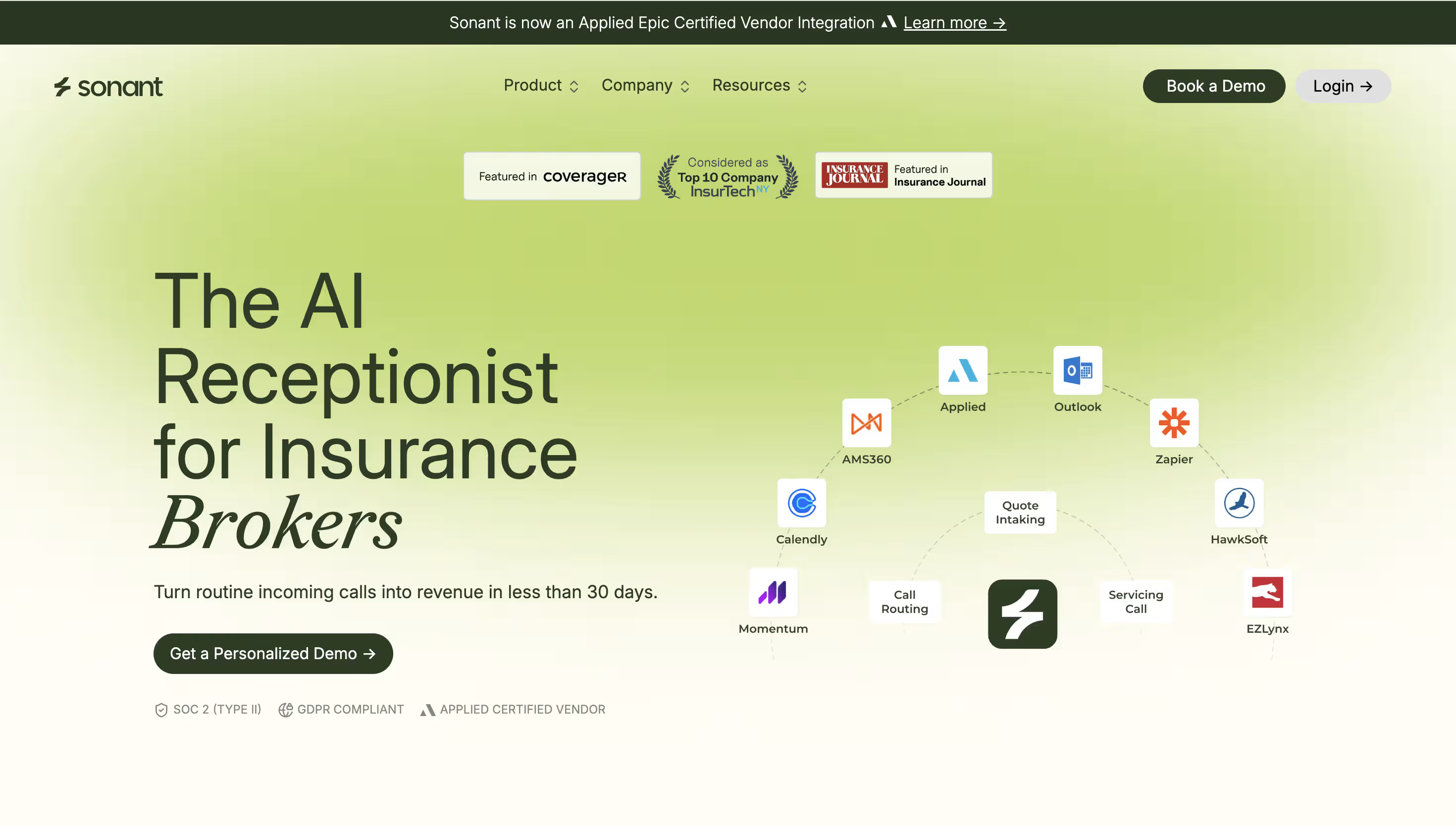
Sonant is the AI receptionist purpose-built for insurance agencies and brokerages, and its AI receptionist for brokers covers one industry end to end rather than every industry. It answers every inbound call 24/7, verifies the caller, reads their record in your broker management system while the call is live, takes the quote or service intake, and triages the call into an activity routed to whoever owns that client.
The differentiator that matters most in Canada is certification. Sonant is an Applied certified vendor, described on Applied's own terms as the first and only voice AI that Applied has certified when Applied launched their program, which means Epic brokerages don't buy separate API access or sign an extra agreement to turn it on. Given how much of the Canadian market runs on Applied Epic, that removes the single biggest implementation risk in this category.
Ideal For
- Canadian P&C brokerages of 15 people and up running Applied Epic
- Operations leaders routing callers to assigned account managers and line-specific teams
- Brokerages in government auto provinces fielding heavy non-client call traffic
- Multi-branch groups standardising answer rates across offices
- Brokerages fielding calls in more than one language, including French, Spanish, and Urdu
Top Features
- Certified Epic read and write: Sonant looks up account details in Epic during the conversation, then writes the activity and call summary back to the correct account afterward, so nothing depends on a broker typing notes.
- Caller verification before disclosure: Identity is confirmed by phone match plus a second factor before any policy detail is discussed, which is the part generic AI answering skips.
- Account-based routing: The call is routed by who owns the client in the BMS rather than by a menu choice, which is the workflow static routing rules can't reproduce.
- Warm transfer with context: Calls hand off to a licensed broker with the conversation and the record attached, and past-call memory means a returning caller doesn't start over.
- Mid-call texting: Sonant can text a payment or claims link while the caller is still on the line, so the request finishes on the call rather than in a follow-up.
- Multilingual handling well beyond French: Sonant answers in English, French, Spanish, Portuguese, and Korean among others and switches language mid-call, with one Canadian brokerage running it in Urdu, so a book whose clients don't all speak the two official languages isn't held to bilingual coverage.
Why We Stand Out?
Sonant already knows P&C, so there's no script to build and no blank canvas to fill in, and brokerages are typically live in under 30 days. The native system integrations are API-level and two-way, covering Applied Epic, AMS360, EZLynx, HawkSoft, Momentum AMP, and QQCatalyst, with Epic carrying the Applied certification.
The mechanism that separates Sonant from message capture is triage, and the Canadian proof is specific. Cornerstone Insurance, a Saskatchewan brokerage, measured a 43% staff productivity gain as its team moved from 70 to 100 tasks a day after Sonant started triaging phone traffic into Applied Epic activities, with Canadian data residency built in from day one.
These numbers are backed up on the Cornerstone case study page, alongside published SOC 2 Type II and GDPR documentation on the trust and security page.
Pros
- The only voice AI with a certified Applied Epic integration, so no separate API purchase or agreement
- Triages into documented activities on the client's file rather than emailing a message
- Routes by account ownership, which is the workflow mid-market brokerages ask for most
- Published Canadian brokerage results, including Cornerstone's 43% productivity gain and BIG Pickering's 100% answer rate
- Flat partner rate, so a storm week or a renewal peak doesn't change the invoice
- Multilingual on live calls, covering French, Spanish, Portuguese, Korean, and Urdu among others, with switching mid-conversation
Cons
- Built for the phones and for P&C insurance distribution only, so a brokerage whose measurable problem is back-office document work, or one wanting a single tool across unrelated business lines, should shortlist elsewhere
- Built for full-time coverage on real call volume, so a brokerage under 5 staff, or one that only ever wants basic after-hours message capture, is paying for more than it needs
- No public rate card, so a price-first buyer needs a demo before comparing cost, and Acturis or PowerBroker brokerages should confirm the integration path directly since the published integration list is Applied Epic, AMS360, EZLynx, HawkSoft, Momentum AMP, and QQCatalyst
Pricing
Sonant charges a predictable partner rate per brokerage rather than per minute or per call, and states plainly that a heavy call day doesn't cost more than a light one. Onboarding, configuration, and support are included, and there's no scripting work handed back to your team.
You need a demo to get a number, which is the trade-off for pricing built around your operation instead of a minute bundle.
Most brokerages start on a narrow scope, usually overflow and after hours, and widen once they've reviewed a month of their own recordings, which keeps the first commitment small without a trial period.
Final Verdict
For a Canadian brokerage where the general line is the bottleneck, Sonant is the fit for a Canadian P&C brokerage where the general line is the bottleneck, because it treats an inbound call the way a good account manager would by verifying the caller, reading the file, capturing the request properly, and putting it in front of the person who owns the client.
The certified Epic connection and two published Canadian brokerage case studies are evidence no other vendor here currently offers.
2. Liberate™

Overview
Liberate is a multi-channel voice AI product built primarily for insurance carriers and financial services companies, handling calls, emails, and SMS with a vendor-reported 80% resolution rate.
Its centre of gravity is first notice of loss and claims status work, with reporting that includes transcripts, sentiment, and handling metrics.
For brokerages, the relevance is scale and language coverage. Liberate supports English, French, and Spanish, and it warm-transfers to human agents with context attached, which makes it a fit for large Canadian operations.
Ideal For
- Insurers/Carriers and large brokerage groups with heavy claims and FNOL call volume
- Bilingual operations needing French-language handling at scale
- Enterprise buyers who want a consultative implementation with dedicated engineers
- Teams whose systems are carrier portals and rating tools rather than a BMS
- Groups with 50 or more staff where the price point works
Top Features
- First notice of loss intake: Claims are taken end to end, which is the highest-volume call type in a bad weather month.
- Multi-channel agents: Voice, SMS, and email handled by the same agent, so a claim started on the phone continues by text.
- French and Spanish support: Language coverage is published rather than promised, which matters for Quebec and bilingual books.
- Transcript and sentiment reporting: Every call is transcribed and scored, which gives an operations leader something to coach against.
Why They Stand Out?
Liberate is built for insurer-side claims automation, backed by serious investors and a track record on large deployments. The consultative model, with forward-deployed engineers building the handling with you, suits organisations that want a custom workflow rather than a product decision. Published French support also puts it ahead of most of this list for Canadian bilingual requirements.
Pros
- Enterprise-grade handling built for high claims volume
- Published English, French, and Spanish coverage
- Warm transfer to human agents with context retained, plus transcript and sentiment reporting
Cons
- Built primarily for insurers, so retail brokerage workflows aren't the design centre
- Custom pricing scoped to organisation size, which prices out most mid-market brokerages
- While not Applied certified, Epic brokerages would have to buy API access separately
- Integration set skews to carrier portals and rating tools rather than broker management systems
- Budget unpredictability, because nothing is published at all, so the cost can't be modelled until a scoping conversation is finished
- Consulting-heavy setup lengthens time to a first answered call
Pricing
Liberate doesn't publish pricing, describing it as custom and scoped to the size of the organisation. In practice this is an enterprise motion with a dedicated implementation team, so expect a contract shaped like a project rather than a subscription.
Budget for the implementation effort alongside the licence, because the consultative model is where much of the value and much of the cost sits. For a mid-market brokerage the practical effect is that Liberate usually prices itself out before the technical fit is even discussed.
Final Verdict
Liberate is recommended for insurers, large brokerage groups, and third-party administrators (TPAs) where FNOL and claims-status volume justifies an enterprise build, and where French coverage is a hard requirement.
Liberate's pricing model is scoped to organization size, with a consultative implementation. Mid-market brokerages should confirm the price point before scoping the technical fit this guide is written for, because the product was designed around insurer workflows and the pricing assumes an enterprise budget, so most agencies at this end of the market are priced out before the integration question is reached.
3. Goodcall™
Overview
Goodcall is an AI phone agent built for any business with a phone line, and insurance isn't one of the verticals it targets.
It answers inbound calls, follows call flows you design yourself, transfers to named people from a directory you maintain, and pushes call outcomes into other tools through Zapier. Its distinguishing choice is the billing model, because it charges by unique caller rather than by minute.
The problem Goodcall solves is unanswered volume at a flat cost, not insurance call handling. For a brokerage that means the coverage question gets answered and the servicing question doesn't, which is the trade every horizontal tool on this list asks you to make.
Ideal For
- Brokerages that want every call answered before they solve for anything else
- Principals who want the bill fixed regardless of how long callers talk
- Small offices fielding repetitive questions about hours, locations, and payments
- Multi-branch groups running a separate agent for each location
- Teams willing to build their own call flows rather than buy insurance defaults
Top Features
- Unlimited minutes on every paid tier: Call length has no effect on the bill, so a caller who talks for 12 minutes costs the same as one who talks for 2.
- Custom logic flows: Different call types follow different paths, which covers hours, directions, payments, and simple triage without a developer.
- Directory routing: Calls transfer to named team members from a directory you maintain, so a caller can ask for a specific broker by name.
- Zapier integration: Call outcomes push into other systems, with custom API work reserved for enterprise plans.
Why They Stand Out?
Goodcall addresses minute-billing anxiety directly, which is the most common complaint buyers raise about AI phone pricing.
Unlimited minutes with per-caller billing means a storm week costs what a quiet week costs. For a brokerage that has been burned by an overage invoice, it's straightforward to model.
Pros
- Unlimited minutes with no per-call or per-minute charges
- Published pricing at $79 to $249 per agent a month
- Custom call flows built without developer help
- 15% discount on annual billing
- Scales to multiple agents for different branches or lines
Cons
- No broker management system integration, so it can't read a policy record or write an activity
- No insurance training, so every P&C term and workflow is something you teach it
- Billing by unique caller means a busy month still adds cost at $0.50 per extra caller
- Integrations are Zapier-first, with custom APIs on enterprise plans only
- Call detail retention is 7 days on the starter plan
Pricing
Starter costs $79 per agent a month, Growth $129, and Scale $249, all with unlimited minutes and covering 100, 250, and 500 unique callers a month respectively. Extra callers cost $0.50 each and annual billing takes 15% off. Goodcall states plainly that it charges no fees for calls, minutes, or tokens, and enterprise pricing is quoted separately with API integrations and a dedicated account manager.
Final Verdict
Goodcall is worth a look for a brokerage whose measurable problem is that calls ring out, and whose budget conversation keeps stalling on unpredictable minute bundles.
Goodcall addresses coverage; it does not address servicing depth, because a caller asking whether their policy renews before their closing date gets a message taken rather than an answer.
The flows are only as good as the time you invest in building them, so the setup work lands on the brokerage rather than the vendor.
4. Gail™
Overview
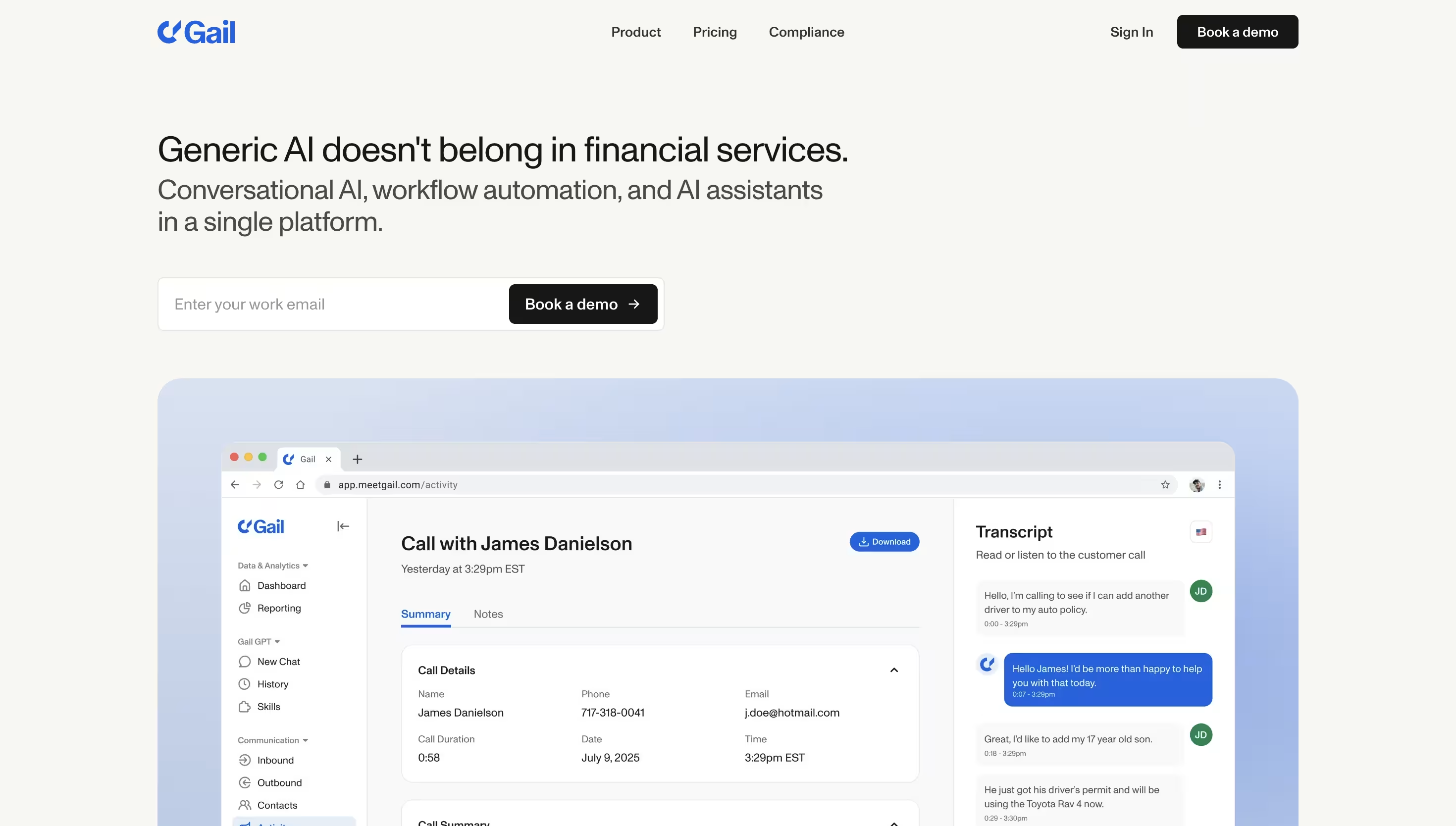
Gail is a conversational AI product for financial services, covering insurance, banking, and lending, with voice, text, chat, email, SMS, and WhatsApp handling in one place alongside workflow automation and document drafting. It's the most recognised name among smaller distributors, largely through word of mouth.
The core problem it solves is coverage across channels rather than depth in one, and its setup model is self-serve. That suits a brokerage with someone internally willing to own configuration, and it's the reason Gail shows up on most shortlists at least once.
Ideal For
- Brokerages that want to see a price before booking a demo
- Teams handling client traffic across voice, SMS, WhatsApp, and email together
- Distributors comfortable configuring call handling themselves
- Brokerages testing AI on a small volume before committing budget
- Groups already using Gail elsewhere in a financial services business
Top Features
- Multi-channel handling: One agent covers voice, text, chat, email, SMS, and WhatsApp, which suits books where clients text as often as they call.
- Published pricing tiers: Rates are on the website, so you can model cost without a sales conversation.
- Self-serve configuration: You build the workflows and knowledge yourself, which means no waiting on a vendor implementation queue.
- Document and drafting automation: Renewal documents and explanations can be generated alongside the conversational work.
Why They Stand Out?
Gail suits brokerages that want transparency on cost and breadth across channels from the first month. Publishing a full rate card in a category where almost nobody does is an advantage, and the free tier makes a cautious first test cheap.
Gail is SOC 2 and GDPR compliant, which clears the security question most brokerage IT reviewers open with.
Pros
- Published pricing across a free tier, a per-person tier, and a flat agent tier
- Broad channel coverage in one product, including WhatsApp and SMS
- Self-serve setup, so implementation isn't gated on a vendor timeline
- A free tier that makes a cautious first test cheap
- SOC 2 and GDPR compliant, which shortens the IT review
Cons
- Built for financial services broadly rather than brokerage phone operations specifically
- Broker management system integration approach is not published on Gail's website; verify integration path with the vendor directly
- The $425 tier includes 50 voice hours a month, which a brokerage with heavy call volume may clear before month end
- Budget unpredictability, because Gail publishes the quota but not the overage rate, so the cost of clearing 50 voice hours can't be modelled before the invoice arrives
- No published Canadian brokerage results, so the proof sits on the US side of the border
Pricing
Gail publishes four tiers. A free forever plan includes 60 minutes of call time on a one-time basis plus 50 GailGPT conversations, GailGPT costs $40 per person a month, and Gail Agent costs $425 a month for 5 users with 50 hours of voice time and 5,000 messages.
Enterprise pricing is custom and annual billing saves 20% or more. The $425 tier includes 50 voice hours a month across 5 users, and Gail's pricing page lists overage as billed at standard rates once quota is passed.
Final Verdict
Gail is worth shortlisting when published pricing and channel breadth matter more than BMS depth, particularly for a brokerage running a first, small AI test.
Brokerages evaluating Gail should confirm broker management system integration path and expected voice-hour usage against published quotas before signing, since routing by account ownership and writing an activity to the client's file both depend on integration depth Gail doesn't publish. The voice-hour cap on the published tier means brokerages with heavy call volume should model expected usage before signing.
5. Ruby™
Overview
Ruby is a US virtual receptionist service that has been answering calls for small professional firms since 2003. Real receptionists answer under your brokerage name 24/7, follow the call handling instructions you set, and pass calls or messages through a mobile app.
Ruby is the human end of this list, and it's here because it's the option brokerages most often weigh against AI. It leans hard on the human side and positions its AI features as support for its receptionists rather than a replacement for them.
Ideal For
- Small brokerages where clients expect a person to pick up
- Books with low call volume and high premium per client
- Principals who want callers greeted by name under the brokerage brand
- Teams that need bilingual English and Spanish answering
- Brokerages that have ruled out AI answering on principle
Top Features
- 24/7 live answering: Coverage includes nights, weekends, and holidays on every plan, so there's no separate after-hours contract to negotiate.
- Custom call handling instructions: You set who gets transferred, what gets a message, and how each caller type is greeted.
- Mobile app control: Status changes, call logs, and messages sit in one app, which helps when the on-call broker changes daily.
- Broad integration library: Ruby connects to more than 5,000 apps, so messages can reach the tools you already run.
Why They Stand Out?
Ruby suits brokerages where the caller's impression of your brokerage depends on hearing a person rather than a voice agent. Receptionists are trained to sound like part of your team, and the service has enough tenure that its call handling playbooks are well developed.
There are also no setup, activation, or customisation fees on any plan, which makes the first month easy to budget.
Pros
- Consistent, well-trained human receptionists
- No setup, activation, or customisation fees
- Genuine 24/7 coverage on every plan
- Large integration library for message delivery
- Bilingual English and Spanish answering available
Cons
- Cost per minute is far higher than any AI provider on this list
- Minute bundles run out quickly in a storm week or a renewal peak
- No broker management system integration, so call details never reach the client's file
- Receptionists take messages rather than completing requests inside your systems
- No insurance training, so technical questions get relayed rather than answered
Pricing
Virtual receptionist plans start at $250 a month for 50 minutes, then $395 for 100 minutes, $720 for 200 minutes, and $1,725 for 500 minutes. Ruby states there are no additional or hidden fees for activation, onboarding, setup, or customisation. Live chat plans are priced separately, and bundling chat with a receptionist plan takes 20% off the chat rate.
Final Verdict
Ruby is recommended for small, low-volume brokerages where a human voice is part of the service you sell, and for principals who have decided their clients shouldn't meet an AI.
Ruby's pricing model is minute-based, so brokerages with heavy call volume should model expected volume against Ruby's tiered minute bundles, because 200 minutes costs $720 and a storm week burns through a bundle fast.
6. Nexa™
Overview
Nexa provides 24/7 live answering with agents trained for specific industries, including legal, medical, home services, real estate, and IT. Beyond answering it handles inbound and outbound sales calls, client intake, live chat, and text, positioning itself as a virtual receptionist team rather than a message service.
For a brokerage this is the most instructive comparison on the list, because Nexa is the closest a human service gets to being vertical. It proves the principle the category is built on, which is that industry-trained handling beats generic handling, and it also shows what that principle costs when the training has to live inside people.
Ideal For
- Brokerages that want trained judgment on a call rather than a transcript
- Teams needing outbound follow-up as well as inbound answering
- Offices running an on-call rota where someone must decide what escalates
- Principals comfortable with a sales conversation before seeing a price
- Groups wanting one provider across new business and service calls
Top Features
- Industry-trained agents: Receptionists work from playbooks built for a sector rather than from a generic script.
- Intake and dispatch: Agents run structured intake and decide what escalates immediately and what can wait until morning.
- Outbound calling: Follow-up calls on leads and appointments are handled by the same team that answers.
- CRM integration on higher tiers: Call outcomes flow into your system on the 500-minute plan rather than on the entry tiers.
Why They Stand Out?
Nexa suits brokerages that need trained judgment when a call needs a judgment rather than a transcript, and it's the only human service on this list that trains its agents by industry.
Agents handle sales and service calls, so one provider covers new business and existing clients, which is unusual in this category. For a brokerage weighing people against software, Nexa is the fairest version of the human option.
Pros
- Agents trained by industry rather than by script alone
- Inbound and outbound calling from one provider
- Structured intake rather than message taking
- 24/7/365 coverage across all plans
- Bilingual answering available as an add-on
Cons
- No published pricing, so any comparison requires a sales conversation
- Insurance isn't among the industries Nexa names, so a P&C playbook is built from scratch
- CRM integration is reserved for the highest plan tier
- Minute-based bundles create overage risk in a busy month
- Bilingual coverage costs extra rather than being standard
Pricing
Nexa offers three tiers based on monthly voice minutes, at 100, 300, and 500 minutes, with CRM integration included on the 500-minute plan. Prices are quoted directly rather than published, so budgeting requires a call. Ask what an overage minute costs before signing, because minute bundles are where a busy month gets expensive.
Final Verdict
Nexa is worth shortlisting when your calls need trained judgment and you'd rather buy that judgment in people than in software, especially if outbound follow-up matters as much as inbound answering.
The catch for a brokerage is that insurance isn't one of the industries Nexa trains for, so you'd be funding the build of a P&C playbook rather than buying one that already exists. Nothing about the cost is visible until you talk to sales, and the integration that would put call outcomes into your system sits on the top tier only.
7. RingCentral™ AI Receptionist
Overview
RingCentral AI Receptionist, marketed as AIR, adds AI answering to RingCentral's cloud phone system. It answers calls 24/7 using natural language rather than a menu tree, resolves frequently asked questions from your website and documents, routes with context and a summary for staff, captures leads through custom intake questions, books appointments through Google or Outlook calendars, and follows up by SMS.
For a brokerage already paying RingCentral, it's the cheapest way to stop calls ringing out. It's available as an add-on or standalone licence, which makes it the lowest-commitment entry on this list.
Ideal For
- Brokerages already running RingCentral as their phone system
- Small branches wanting basic AI answering at a published low price
- Teams whose main goal is deflecting hours-and-location questions
- Buyers who want to test AI answering without a procurement cycle
- Offices needing multilingual answering with mid-conversation switching
Top Features
- Natural-language answering: Callers state what they need instead of pressing 1, which alone removes the worst of the menu experience.
- FAQ answers from your own content: The agent draws on your website and documents to handle routine questions.
- Context-aware routing with summaries: Calls arrive at a desk with a written summary attached.
- Appointment booking and SMS follow-up: Google and Outlook calendars are supported, with texted confirmations and links.
Why They Stand Out?
RingCentral suits brokerages already on the platform that want a low-commitment entry point in this category, mostly because of price and proximity. The add-on sits inside a phone system half the market already runs, so there's no new vendor, no new number, and no migration. Multilingual handling with mid-conversation switching is useful at this price point.
Pros
- Published pricing starting from $39 a month as an add-on
- No migration required
- Natural-language answering rather than a menu tree
- Appointment booking, SMS follow-up, and call transcription included
- Multilingual with mid-conversation language switching
Cons
- No broker management system integration, so it can't read a policy record or route by account ownership
- No insurance training, meaning you build the knowledge base and the handling from scratch
- Only 100 minutes are included at entry pricing, with usage beyond that at $0.50 a minute billed in 30-second increments that round up
- Budget unpredictability, because the bill tracks call volume rather than a flat rate, so a storm week or a renewal push costs materially more than a quiet month
- CRM connections are generic, so outcomes land in a sales tool rather than on the client's file
- Routing follows rules you write rather than who owns the client
Pricing
RingCentral publishes AI Receptionist from $39 a month as an add-on, with a standalone option from $49 a month that needs no RingCentral subscription. Both tiers include 100 minutes a month, and anything beyond that is charged at $0.50 a minute, billed in 30-second increments that round up.
Those 100 minutes cover roughly 33 three-minute calls, so a brokerage handling 1,000 calls a month would run about 2,900 minutes past the cap and add roughly $1,450 to a $39 line item. RingEX seats are billed separately at published per-user rates. The entry price is a poor guide to the invoice, so model your real call minutes before comparing it against a flat-rate vendor.
Final Verdict
RingCentral AI Receptionist is recommended for brokerages already on RingCentral that want to stop calls ringing out this month, and for branches whose inbound traffic is mostly hours, locations, and simple redirects.
RingCentral AI Receptionist does not currently offer BMS integration; brokerages that need account lookup during the call will need to evaluate other options alongside it, and leaves the documentation work exactly where it was, as the RingCentral alternative comparison sets out.
Buying it for a service-heavy book usually means paying twice, once for the add-on and again for the vendor you switch to.
8. CloudTalk™
Overview
CloudTalk is a cloud phone system with AI answering layered on top, aimed at teams that want calling, routing, transcription, and analytics in one subscription. It publishes line-by-line pricing across four seat tiers plus separate AI tiers, and it holds a 4.4 out of 5 rating on G2 from more than 1,700 reviews.
The problem it solves is telephony infrastructure with AI attached, rather than insurance call handling. For a brokerage replacing an ageing phone system anyway, that combination is worth pricing.
Ideal For
- Brokerages replacing a phone system and adding AI at the same time
- Operations leaders who want call analytics and transcription as standard
- Teams comfortable with per-user plus per-minute billing
- Multi-country offices needing international numbers
- Buyers who want every line item published before a call with sales
Top Features
- Full cloud phone system: Numbers, routing, queues, and analytics in one subscription, so the AI isn't a bolt-on to something else.
- Tiered AI answering: An entry AI receptionist tier and a higher AI specialist tier with a larger minute bundle.
- Call transcription and conversation intelligence: Available as an add-on for coaching and quality review.
- Wide integration library: Around 300 connections including the major CRMs.
Why They Stand Out?
CloudTalk publishes pricing across all tiers in this category, publishing seat rates, AI tiers, minute bundles, and per-minute rates at volume. Review coverage is deep enough to be meaningful, which is unusual among AI answering vendors.
For a brokerage that needs telephony and AI in the same decision, buying both from one vendor removes an integration.
Pros
- Fully published pricing across seats, AI tiers, and add-ons
- Substantial third-party review base at 4.4 out of 5 from 1,700 plus reviews
- Phone system and AI answering from a single vendor
- Around 300 integrations including major CRMs
- Per-minute rates drop at high volume, which helps predictable heavy users
Cons
- Horizontal by design, with no P&C training and no broker management system connection
- Billing stacks per user and per minute, so the true cost climbs with both headcount and call volume
- The entry AI tier is minute-capped, and the next tier is a significant step up
- Outcomes land in a CRM rather than as an activity on the client's file
- No published brokerage case studies, Canadian or otherwise
Pricing
CloudTalk publishes seat pricing in US dollars at $19, $25, $29, and $49 per user a month on annual billing, rising to $27, $34, $39, and $69 on monthly terms. AI Receptionist opens at $0 for a first month that includes 50 minutes, then runs from $99 a month for 200 minutes, while AI Specialist costs $349 a month with 1,000 minutes and scales to $749 at 2,500.
Custom volume pricing goes as low as $0.15 a minute above 10,000 minutes a month, and add-ons are billed per user, including conversation intelligence at $9 per user a month.
Final Verdict
CloudTalk is recommended for brokerages whose phone system is due for replacement and who want AI answering priced transparently in the same contract.
CloudTalk's per-user + per-minute billing structure means brokerages with growing headcount and call volume should model total cost against flat-rate alternatives. Because no amount of transcription substitutes for reading a client's policy record mid-call, and the CloudTalk alternative comparison shows where the handling stops. Stacked per-user and per-minute billing also makes the busiest months the most expensive ones.
9. Smith.ai™
Overview
Smith.ai runs a hybrid receptionist service where AI handles screening and qualification and human receptionists take the calls that need a person. Plans are billed per call, include appointment booking and payment collection, and run month to month with a 30-day money-back guarantee and no charge for verified spam.
The problem it solves is coverage with a human safety net, which appeals to principals who don't yet trust AI on client-facing calls. That reassurance is the product, and the pricing model reflects it.
Ideal For
- Brokerages that want a human on the line for anything unusual
- Low-volume offices where per-call billing stays predictable
- Teams focused on qualifying new business enquiries
- Principals running a first, cautious test of outsourced answering
- Offices that need payments collected during the call
Top Features
- Hybrid AI and human handling: AI screens, humans take over, so an unusual call doesn't hit a wall.
- Lead qualification: Intake questions are asked consistently on every new business enquiry.
- Appointment booking and payment collection: Calls end with something completed rather than a callback promise.
- No charge for verified spam: Filtered calls don't consume your plan allowance.
Why They Stand Out?
Smith.ai suits brokerages that want a human backstop before committing fully to AI to put AI in front of clients unsupervised.
The human fallback removes the failure mode principals worry about most, and month-to-month terms with a money-back guarantee make the first commitment low risk. Per-call billing is also easier to reason about than per-minute for offices with short calls.
Pros
- Human receptionists as the fallback on every call
- Published per-call pricing with clear overage rates
- Month to month with a 30-day money-back guarantee
- Payment collection and appointment booking included
- Verified spam calls don't count against the plan
Cons
- Per-call billing punishes service-heavy books, since 1,000 calls a month sits far above the top published tier
- No broker management system write-back, so nothing lands on the client's file automatically
- Generalist receptionists relay insurance requests rather than resolving them
- No P&C training, so technical questions still route to your team
- Built for the US market, with no published Canadian brokerage references
Pricing
Smith.ai publishes four tiers. Starter covers 30 calls at $300 a month with overage at $11.50 a call, Basic covers 90 calls at $810 a month with overage at $10.50, Pro covers 300 calls at $2,100 a month with overage at $8.50, and Enterprise is custom. All plans are month to month with a 30-day money-back guarantee, and verified spam calls aren't billed.
Final Verdict
Smith.ai is recommended for lower-volume brokerages that want a human voice as the backstop and are willing to pay for it, particularly where new business qualification is the priority.
Smith.ai's per-call model may not fit brokerages with high service call volumes; per-call economics scale differently to flat-rate models, because per-call economics break down at service volume and the Smith.ai alternative comparison shows what a message-based handoff costs in follow-up work. A brokerage fielding 1,000 calls a month would pay several times the top tier and still be typing its own file notes.
10. Synthflow™
Overview
Synthflow is a low-code voice agent builder for teams that want to design their own call handling rather than buy a finished product. You configure the flows, connect systems by API and webhook, and own the telephony setup, concurrency, and security decisions.
Its positioning shifted materially in 2026. Synthflow now states that enterprise contracts start at $30,000 annually, scoped around call volume, concurrency, telephony, integrations, security needs, and launch support, which retires the low monthly tiers that older roundups still quote.
Ideal For
- Brokerage groups with in-house engineering capacity
- Operations teams with an unusual call flow no product covers
- Organisations that want to own the agent rather than licence one
- Buyers with a defined internal owner for ongoing maintenance
- Groups consolidating several call automation projects into one build
Top Features
- Low-code agent builder: Call flows are designed visually rather than written from scratch in code.
- API and webhook integrations: Any system with an API can be connected, which means no vendor waiting list.
- Custom telephony and concurrency setup: Capacity and routing are configured to your own requirements.
- Launch support included in enterprise scope: Implementation help is part of the contract rather than an afterthought.
Why They Stand Out?
Synthflow suits organisations that want to own the build over every part of the call. Nothing is hidden behind a vendor roadmap, so an unusual routing rule or an internal system with an odd API is a build task rather than a blocker. For a group with engineers and a specific requirement, that flexibility is worth real money.
Pros
- Full control over call flows, prompts, and integrations
- Connects to any system with an API rather than a fixed partner list
- Custom telephony and concurrency configuration
- Enterprise contracts include launch support
- Suits groups consolidating several automation projects
Cons
- You build and maintain the insurance knowledge, the handling, and the guardrails yourself
- No broker management system integration out of the box
- The $30,000 annual floor removes the cheap-DIY argument older comparisons still make
- No P&C training, so licensing and disclosure guardrails are your responsibility
- Ongoing maintenance sits with your team, not a vendor support desk
Pricing
Synthflow publishes no monthly tiers or free plan as of August 2026, stating instead that enterprise contracts start at $30,000 a year. Pricing is scoped around call volume, concurrency, telephony setup, integrations, security requirements, and launch support. Any roundup quoting a $375 monthly plan is describing an offer that no longer appears on the pricing page.
Final Verdict
Synthflow is recommended for brokerage groups with in-house engineers and a call flow no packaged product covers, where owning the build is worth the maintenance commitment.
Synthflow's build-your-own model requires in-house engineering capacity for ongoing maintenance; brokerages without dedicated engineering resource typically shortlist finished products, because a $30,000 floor plus internal engineering time buys a finished, insurance-trained product elsewhere, as the Synthflow alternative comparison sets out. The build also never finishes, since every insurer portal change and routing tweak comes back to your team.
How to Choose the Best AI Receptionist for Insurance Brokers
Owners describe this decision in two ways, either as "voice AI vs. answering service vs. hiring CSRs" or as the broader question of "which tech actually saves time vs. adds complexity?". Both land in the same place, because most principals compare monthly prices, sign, and discover a quarter later that the tool records calls it was supposed to resolve.
That caution is widely shared, with rapid technological change ranking fourth among the 13 challenges tested in Canadian Underwriter's 2026 broker survey.
These seven checks surface that gap before you commit, and each one has a Canadian wrinkle worth asking about directly.
1. Confirm How It Connects to Your Broker Management System
Ask which broker management systems the vendor connects to by name, whether the connection is a certified integration, a native API, or screen-scraping automation, and whether it reads and writes or only writes.
Certification matters more than it sounds, because an Applied Epic brokerage buying from an uncertified vendor typically has to purchase API access and sign a separate agreement before anything works. If you run Acturis or PowerBroker, get the integration path in writing before you evaluate anything else, since a demo on Epic tells you nothing about your own setup.
2. Ask Whether It Completes Requests or Only Records Them
Decide what a finished call looks like at your brokerage. If a name and a callback number is enough, a message-taking service will do the job cheaply, but if the call has to end with a verified caller, a captured intake, and an activity on the client's file, you need a tool that can look information up and act on it.
Insurance fluency decides whether that's possible, because a generalist agent can write down a policy number and still can't tell a client whether the coverage applies.
3. Test Routing, Transfers, and a Handoff That Fails
Routing is where brokerage requirements diverge sharply from generic business use. Personal lines often runs on an alphabetical split with exceptions that only a system lookup can resolve, and commercial lines usually needs the caller sent to a dedicated team by segment, so ask whether the tool routes by looking up who owns the account or by rules you maintain by hand.
Then ask what happens when a transfer fails. You want to know whether the caller lands back with the AI mid-conversation or starts over from the greeting, and whether the agent remembers what was already said, because a tool that loses context on a failed handoff turns your best-intentioned escalation into an annoyed client explaining a claim twice.
4. Ask How Fast It Goes Live and Who Supports You After
Time to value is the criterion buyers skip and regret. Ask how many days until the tool answers a live brokerage call, how much scripting, knowledge-building, or call-flow design you have to do yourself, and whether onboarding, configuration, and ongoing support are included or billed as a separate line.
A vendor that needs 6 weeks of scripting costs you the renewal season you were trying to cover, and one that disappears after go-live leaves your operations team debugging call handling alone. So ask who you reach when handling goes wrong on a storm Monday, whether that person knows insurance or reads from a general support script, and what setup time each vendor will commit to in writing.
5. Price It Against Your Real Monthly Call Volume
Pull your call logs for the last three months and count every inbound call, then multiply by average handle time. A 200-minute bundle looks generous until an ice storm doubles your volume, and per-call plans that work at 90 calls become unaffordable at 1,000.
Compare per-user, per-minute, per-call, and flat-rate models against that real number, and read the AI receptionist pricing breakdown before you accept a headline figure.
6. Confirm Canadian Data Residency and Licensing Guardrails
Ask where call recordings, transcripts, and client data are stored and processed, and get the answer in writing rather than as reassurance. Then ask what stops the agent from giving advice it isn't licensed to give, because an unlicensed voice discussing coverage adequacy is a regulatory problem regardless of how good the transcript looks. Published documentation such as a trust centre and SOC 2 compliance evidence is the difference between a real answer and a promise.
7. Start With Overflow and After Hours, Then Widen
The lowest-risk way to test any vendor is on the calls nobody answers today, because you're replacing a voicemail box rather than a person. Run it on overflow, evenings, and weekends for a month, review the recordings and the activities it produced, then widen into daytime handling once the quality holds.
Sonant's buyer's checklist covers the questions worth asking at that first review, and the evidence on whether callers accept AI receptionists is worth reading before you decide how much of the line to cover.
Everything You Need to Know About AI Receptionists for Brokers
The ratings below score each vendor against the six criteria in our methodology, on a scale of one to five stars. Onboarding and support covers both how fast the vendor answers a live call and whether help is included afterwards, and affordability reflects cost at real brokerage volume rather than entry price, which is why a flat partner rate scores well against a cheap plan with a minute cap.
Before committing to anything in this category, it's worth understanding how system write-back actually works and what caller identity verification looks like on a live call, since those two mechanisms separate a working deployment from an expensive answering machine.
Answer Every Brokerage Call With Sonant
If you run a Canadian brokerage, the calls stacking up on your general line are claims, renewals, payments, and quotes, and the ones that abandon don't call back to tell you.
Sonant answers them on the first ring, verifies who's calling, reads the account in Applied Epic while the conversation is live, captures the request properly, and writes the activity back to the correct file before your team opens it.
BIG Pickering in Ontario went from answering 10% of its calls to 100%, reported 600% ROI in the first month, and recorded zero client complaints.
Setup runs under 30 days with onboarding, configuration, and support included, there's no script for your team to write, and Sonant is the only voice AI Applied has certified for Epic, so there's no separate API purchase to negotiate first.
Book a Demo and hear it handle a call on your own broker management system.
Disclaimer:
All product names, logos, and brands are property of their respective owners. Liberate™, Goodcall™, GAIL™, Ruby™, Nexa™, RingCentral™, CloudTalk™, Smith.ai™, and Synthflow™ are trademarks of their respective companies. No affiliation, endorsement, or sponsorship is implied. Product features, pricing, and availability are current as of August 2026 and subject to change; verify with each vendor before making a purchase decision.
About the Author
Francisco Lopes is co-founder and CEO of Sonant, the AI receptionist built for insurance agencies and brokerages. He got P&C-licensed himself before building the product, so the workflows in this review are judged against how a brokerage runs its phones rather than against a feature list. A Stanford Graduate School of Business alum and Forbes 30 Under 30 honoree, he has written on agency operations and AI adoption for IA Magazine and posts regularly on Francisco Lopes on LinkedIn.






.svg)


.svg)


